QuickStart
Installation
To use Circula, first install it using pip or conda:
$ pip install circula
OR
$ conda install -c conda-forge circula
Initial setup
To initialize a Circula program, use the circula init command. This command will create a new Circula project in the specified directory. The -r flag is required to specify the reference genome. The --ref-index and --ref-dict flags are optional and will create the reference genome index and dictionary files, respectively. --ref-index and --ref-dict flags are required for the alignment step and can be skipped if the reference genome index and dictionary files are already available at the directory enclosing the reference genome.
reference = 'path/to/reference_genome.fa'
circula init -r ${reference} --ref-index --ref-dict -o ./project_dir
All-in-one analysis example
After the initialization, you can run the entire analysis pipeline with a single process command. The -s flag is required to specify the processing steps and is customizable based on the user’s needs.
Adapter trimmming (Trim Galore)
Genome alignment (bwa-meth)
Duplicate removal/marking (Picard)
Methylation extraction (MethylDackel)
Nuclosome occupancy calculation (DANPOS2)
Window protection score calculation
circula process ${input_r1} ${input_r2} \
   -s 1 2 3 4 5 6 \
   --prefix 'test_S2' -@ 10 \
   --trimgalore-args '--clip_R1 10 --clip_R2 10 --three_prime_clip_R1 5 --three_prime_clip_R2 5'
Power analysis example
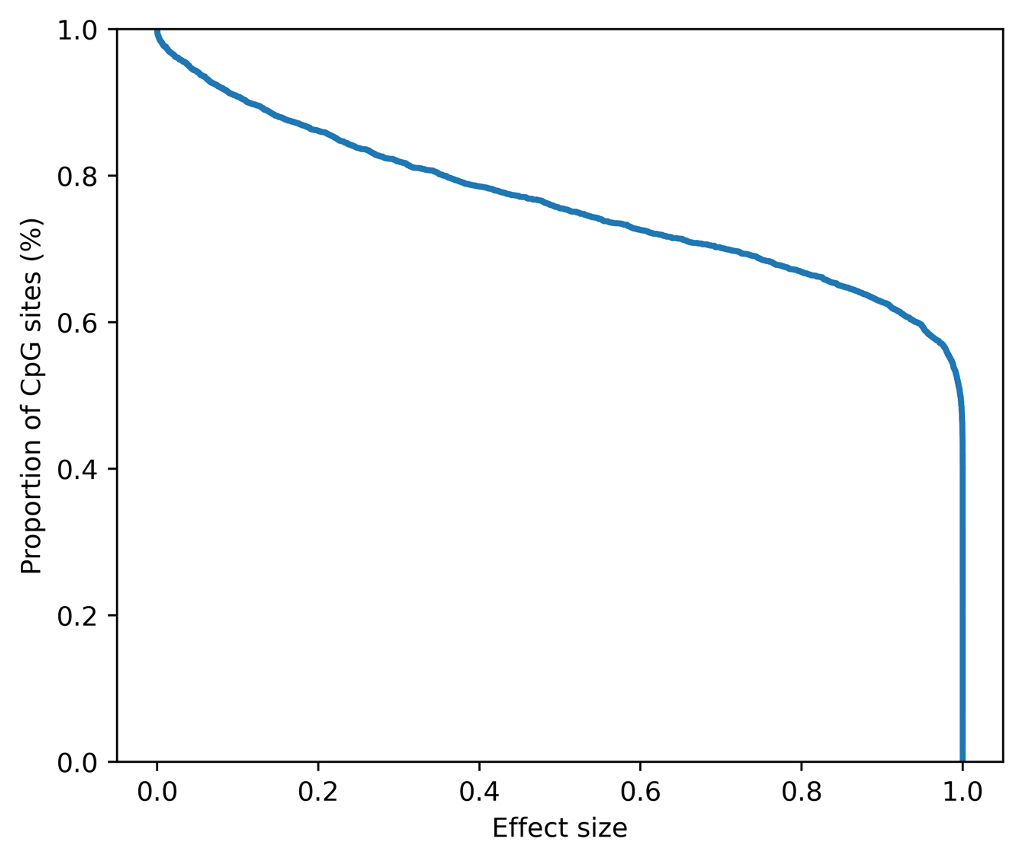
This power analysis tool is designed to estimate the sample size required to achieve a desired power level for a given effect size. The power analysis tool is based on the Twist Human Methylome Panel targets 3.98M CpG sites through 123 Mb of genomic content. The follwing example shows how to estimate the power of biomarkers of 400 samples and a given effect size of 0.05. This command will output a power curve and a .tsv file containing the power analysis results.
# Sample size=400, effect size=0.05, significance threshold= 2.7e-08
circula power -o ./output -s 400 -e 0.05 --step-size 1000 -@ 10
To retrieve a list of random ingredients,
you can use the circula.get_random_ingredients() function:
- circula.get_random_ingredients(kind=None)
Return a list of random ingredients as strings.
- circula.test_function(input='test', param2='test2')
_summary_
- inputstr, optional
_description_, by default ‘test’
- param2str, optional
_description_, by default ‘test2’
- _type_
_description_
The kind parameter should be either "meat", "fish",
or "veggies". Otherwise, circula.get_random_ingredients()
will raise an exception.
- exception circula.InvalidKindError
Raised if the kind is invalid.
For example:
>>> import lumache
>>> lumache.get_random_ingredients()
>>> ['shells', 'gorgonzola', 'parsley']
>>>
>>